[fullwidth background_color="#cccccc" background_image="https://www.setar.aw/wp-content/uploads/2017/07/iStock-621987718-copy-2.jpg" background_parallax="down" enable_mobile="no" parallax_speed="0.3" background_repeat="no-repeat" background_position="center top" video_url="" video_aspect_ratio="16:9" video_webm="" video_mp4="" video_ogv="" video_preview_image="" overlay_color="" overlay_opacity="0.5" video_mute="yes" video_loop="yes" fade="no" border_size="0px" border_color="" border_style="solid" padding_top="80px" padding_bottom="60px" padding_left="" padding_right="" hundred_percent="no" equal_height_columns="no" hide_on_mobile="no" menu_anchor="" class="" id=""][one_half last="no" spacing="yes" center_content="no" hide_on_mobile="no" background_color="" background_image="/wp-content/uploads/2015/11/bg-white-trans.png" background_repeat="repeat" background_position="left top" border_position="all" border_size="0px" border_color="" border_style="solid" padding="40px" margin_top="" margin_bottom="" animation_type="0" animation_direction="down" animation_speed="0.1" class="" id=""]
Enrikece bo Cable Digital cu nos TVEverywhere apps.
[one_page_text_link link="#anchor-tve" class="" id=""]View available apps[/one_page_text_link]
[/one_half][one_half last="yes" spacing="yes" center_content="no" hide_on_mobile="no" background_color="" background_image="" background_repeat="no-repeat" background_position="left top" border_position="all" border_size="0px" border_color="" border_style="" padding="" margin_top="" margin_bottom="" animation_type="" animation_direction="" animation_speed="0.1" class="" id=""][/one_half][/fullwidth][fullwidth background_color="#ffffff" background_image="" background_parallax="none" enable_mobile="no" parallax_speed="0.3" background_repeat="no-repeat" background_position="left top" video_url="" video_aspect_ratio="16:9" video_webm="" video_mp4="" video_ogv="" video_preview_image="" overlay_color="" overlay_opacity="0.5" video_mute="yes" video_loop="yes" fade="no" border_size="0px" border_color="" border_style="solid" padding_top="30px" padding_bottom="0px" padding_left="" padding_right="" hundred_percent="no" equal_height_columns="no" hide_on_mobile="no" menu_anchor="anchor-tve" class="" id="anchor-tve"][two_third last="no" spacing="yes" center_content="no" hide_on_mobile="no" background_color="#f7f7f7" background_image="" background_repeat="no-repeat" background_position="left top" border_position="all" border_size="0px" border_color="" border_style="solid" padding="30px 15px 30px 15px" margin_top="" margin_bottom="" animation_type="0" animation_direction="down" animation_speed="0.1" class="" id=""]
TV Everywhere ta un servicio cu ta laga clientenan haya acceso na contenidonan riba un device via un conexion di Internet, sea ta en bibo of “on demand”, basa riba nan pakete di Cable Digital.
Por mira TV unda cu ta na Aruba ki ora cu ta y sin costo adicional. E famia di TV Everywhere actualmente ta consisti di SETAR Live, ESPN Play, Stingray y SETAR Guide.
Pa haci uzo di SETAR Live y ESPN Play, cliente mester activa e servicio di TV Everywhere riba MiSETAR.
NOTA: Cliente mester tin un account di Cable TV registra riba MiSETAR.
[separator style_type="none" top_margin="" bottom_margin="15" sep_color="" border_size="" icon="" icon_circle="" icon_circle_color="" width="" alignment="center" class="" id=""][accordian divider_line="" class="" id=""][toggle title="Con pa activa TVEverywhere" open="no"]
Pa haci uzo di SETAR Live y ESPN Play, cliente mester activa e servicio di TV Everywhere riba MiSETAR.
*NOTA: Cliente mester tin un account di Cable TV registra riba MiSETAR.
Pasonan pa activa:
- Drenta den MiSETAR y bay riba e account di Cable TV
- Click riba “TV Everywhere Settings”
- Click riba “Activate TVE”
- Selecta bo TV Everywhere rating
Una bez e servicio ta activa den MiSETAR, por drenta den e app nan uzando e username y password di MiSETAR.
[/toggle][/accordian][/two_third][one_third last="yes" spacing="yes" center_content="no" hide_on_mobile="no" background_color="#f7f7f7" background_image="" background_repeat="no-repeat" background_position="left top" border_position="all" border_size="0px" border_color="" border_style="solid" padding="30px 15px 30px 15px" margin_top="" margin_bottom="" animation_type="0" animation_direction="down" animation_speed="0.1" class="" id=""][imageframe lightbox="no" lightbox_image="" style_type="bottomshadow" hover_type="none" bordercolor="" bordersize="0px" borderradius="0" stylecolor="" align="center" link="" linktarget="_self" animation_type="0" animation_direction="down" animation_speed="0.1" hide_on_mobile="no" class="" id=""]

[/imageframe][separator style_type="none" top_margin="" bottom_margin="15" sep_color="" border_size="" icon="" icon_circle="" icon_circle_color="" width="" alignment="center" class="" id=""]
SETAR Live (Obtenibel pronto)
[separator style_type="none" top_margin="" bottom_margin="15" sep_color="" border_size="" icon="" icon_circle="" icon_circle_color="" width="" alignment="center" class="" id=""]
Wak TV via Internet na cualkier luga riba nos isla. SETAR Live ta obtenibel pa tur cliente di Cable Digital.
Activa TV Everywhere den MiSETAR y download e App:
Download aki:
iOs (iTunes)
Android (Google Play Store)
[/one_third][/fullwidth][fullwidth background_color="#ffffff" background_image="" background_parallax="up" enable_mobile="no" parallax_speed="0.3" background_repeat="no-repeat" background_position="center bottom" video_url="" video_aspect_ratio="16:9" video_webm="" video_mp4="" video_ogv="" video_preview_image="" overlay_color="" overlay_opacity="0.5" video_mute="yes" video_loop="yes" fade="no" border_size="0px" border_color="" border_style="solid" padding_top="30px" padding_bottom="0px" padding_left="" padding_right="" hundred_percent="no" equal_height_columns="no" hide_on_mobile="no" menu_anchor="anchor-tve" class="" id="anchor-tve"][one_third last="no" spacing="yes" center_content="no" hide_on_mobile="no" background_color="#f7f7f7" background_image="" background_repeat="no-repeat" background_position="left top" border_position="all" border_size="0px" border_color="" border_style="solid" padding="30px 15px 30px 15px" margin_top="" margin_bottom="" animation_type="0" animation_direction="down" animation_speed="0.1" class="" id=""][imageframe lightbox="no" lightbox_image="" style_type="bottomshadow" hover_type="none" bordercolor="" bordersize="0px" borderradius="0" stylecolor="" align="center" link="" linktarget="_self" animation_type="0" animation_direction="down" animation_speed="0.1" hide_on_mobile="no" class="" id=""]
[/imageframe][separator style_type="none" top_margin="" bottom_margin="15" sep_color="" border_size="" icon="" icon_circle="" icon_circle_color="" width="" alignment="center" class="" id=""]
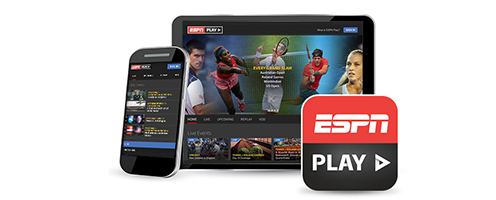
ESPN Play
[separator style_type="none" top_margin="" bottom_margin="15" sep_color="" border_size="" icon="" icon_circle="" icon_circle_color="" width="" alignment="center" class="" id=""]
Wak programa di deporte en bibo y "on demand" unda cu tin un conexion di Internet riba e isla. Activa TV Everywhere den MiSETAR y download e app. ESPN Play ta obtenibel pa tur cliente di Cable Digital.
[separator style_type="none" top_margin="" bottom_margin="5" sep_color="" border_size="" icon="" icon_circle="" icon_circle_color="" width="" alignment="center" class="" id=""]
[separator style_type="none" top_margin="" bottom_margin="50" sep_color="" border_size="" icon="" icon_circle="" icon_circle_color="" width="" alignment="center" class="" id=""][/one_third][one_third last="no" spacing="yes" center_content="no" hide_on_mobile="no" background_color="#f7f7f7" background_image="" background_repeat="no-repeat" background_position="left top" border_position="all" border_size="0px" border_color="" border_style="solid" padding="30px 15px 30px 15px" margin_top="" margin_bottom="" animation_type="0" animation_direction="down" animation_speed="0.1" class="" id=""][imageframe lightbox="no" lightbox_image="" style_type="bottomshadow" hover_type="none" bordercolor="" bordersize="0px" borderradius="0" stylecolor="" align="center" link="" linktarget="_self" animation_type="0" animation_direction="down" animation_speed="0.1" hide_on_mobile="no" class="" id=""]
[/imageframe][separator style_type="none" top_margin="" bottom_margin="15" sep_color="" border_size="" icon="" icon_circle="" icon_circle_color="" width="" alignment="center" class="" id=""]
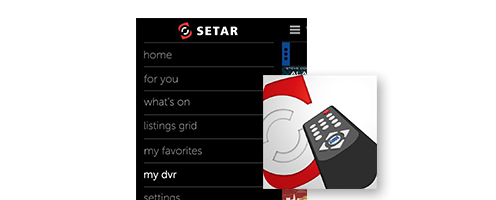
SETAR Guide
[separator style_type="none" top_margin="" bottom_margin="15" sep_color="" border_size="" icon="" icon_circle="" icon_circle_color="" width="" alignment="center" class="" id=""]
Download e app di SETAR Guide y disfruta di e search interactivo y ‘in-depth’ di canal y programanan riba Cable Digital. SETAR Guide ta obtenibel pa tur cliente di Cable Digital.
[separator style_type="none" top_margin="" bottom_margin="20" sep_color="" border_size="" icon="" icon_circle="" icon_circle_color="" width="" alignment="center" class="" id=""]
[separator style_type="none" top_margin="" bottom_margin="50" sep_color="" border_size="" icon="" icon_circle="" icon_circle_color="" width="" alignment="center" class="" id=""][/one_third][one_third last="yes" spacing="yes" center_content="no" hide_on_mobile="no" background_color="#f7f7f7" background_image="" background_repeat="no-repeat" background_position="left top" border_position="all" border_size="0px" border_color="" border_style="solid" padding="30px 15px 30px 15px" margin_top="" margin_bottom="" animation_type="0" animation_direction="down" animation_speed="0.1" class="" id=""][imageframe lightbox="no" lightbox_image="" style_type="bottomshadow" hover_type="none" bordercolor="" bordersize="0px" borderradius="0" stylecolor="" align="center" link="" linktarget="_self" animation_type="0" animation_direction="down" animation_speed="0.1" hide_on_mobile="no" class="" id=""]
[/imageframe][separator style_type="none" top_margin="" bottom_margin="15" sep_color="" border_size="" icon="" icon_circle="" icon_circle_color="" width="" alignment="center" class="" id=""]
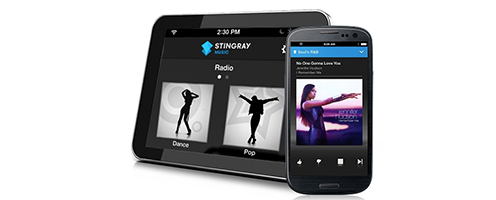
Stingray
[separator style_type="none" top_margin="" bottom_margin="15" sep_color="" border_size="" icon="" icon_circle="" icon_circle_color="" width="" alignment="center" class="" id=""]
Stringray ta un extension di e canalnan di musica riba Cable Digital (450-499) cu ta ofrece tur tipo di genero di musica, tur dia y tur ora.
[separator style_type="none" top_margin="" bottom_margin="30" sep_color="" border_size="" icon="" icon_circle="" icon_circle_color="" width="" alignment="center" class="" id=""]
Download here:
iOs (iTunes)
Android (Coming Soon)
[accordian divider_line="" class="" id=""][toggle title="Con pa activa Stingray" open="no"]
Activa Stingray
- Sign in creando un account nobo of uzando bo Facebook account
- Accept e terms & conditions
- Click riba “All TV Providers” y busca pa SETAR
- Pa autorisa uzo di e app, pone bo device serca di bo TV y tune in den un di e canalnan di musica pa pair e device. Unabes cu e device wordo reconoci bo por cuminsa uza e app.
Nota: Despues di 180 dia di uzo bo lo tin cu extende e periodo di Stingray. Pa haci esaki, bay na Settings, Manage Account y scoge pa Extend Period.
Stingray Music App - Instructions
[/toggle][/accordian][/one_third][/fullwidth][fullwidth background_color="#a8d1d4" background_image="" background_parallax="none" enable_mobile="no" parallax_speed="0.3" background_repeat="no-repeat" background_position="left top" video_url="" video_aspect_ratio="16:9" video_webm="" video_mp4="" video_ogv="" video_preview_image="" overlay_color="" overlay_opacity="0.5" video_mute="yes" video_loop="yes" fade="no" border_size="0px" border_color="" border_style="solid" padding_top="20" padding_bottom="20" padding_left="" padding_right="" hundred_percent="no" equal_height_columns="no" hide_on_mobile="no" menu_anchor="" class="" id=""][two_third last="no" spacing="yes" center_content="no" hide_on_mobile="no" background_color="" background_image="" background_repeat="no-repeat" background_position="left top" border_position="all" border_size="0px" border_color="" border_style="solid" padding="30px 0px" margin_top="" margin_bottom="" animation_type="0" animation_direction="down" animation_speed="0.1" class="" id=""]
Frequently asked questions Digital Cable
[checklist icon="fa-chevron-right" iconcolor="#009b9d" circle="no" circlecolor="" size="14px" class="" id=""][li_item icon=""]
All TV related frequently asked questions[/li_item][/checklist][/two_third][one_third last="yes" spacing="yes" center_content="no" hide_on_mobile="no" background_color="" background_image="" background_repeat="no-repeat" background_position="left bottom" border_position="all" border_size="0px" border_color="" border_style="solid" padding="30px 0px" margin_top="" margin_bottom="" animation_type="0" animation_direction="static" animation_speed="0.4" class="" id=""]
[checklist icon="fa-chevron-right" iconcolor="#009b9d" circle="no" circlecolor="" size="14px" class="" id=""][li_item icon="fa-phone"]Call CABLE TV Helpdesk:
5251700[/li_item][li_item icon="fa-envelope"]
Send an e-mail to Customer Service[/li_item][/checklist][/one_third][/fullwidth]


 [/imageframe][separator style_type="none" top_margin="" bottom_margin="15" sep_color="" border_size="" icon="" icon_circle="" icon_circle_color="" width="" alignment="center" class="" id=""]
 [/imageframe][separator style_type="none" top_margin="" bottom_margin="15" sep_color="" border_size="" icon="" icon_circle="" icon_circle_color="" width="" alignment="center" class="" id=""]
 [/imageframe][separator style_type="none" top_margin="" bottom_margin="15" sep_color="" border_size="" icon="" icon_circle="" icon_circle_color="" width="" alignment="center" class="" id=""]
 [/imageframe][separator style_type="none" top_margin="" bottom_margin="15" sep_color="" border_size="" icon="" icon_circle="" icon_circle_color="" width="" alignment="center" class="" id=""]